Free and open source · Windows, macOS, Linux
Repair your recordings.
For nothing.
Mend fixes the everyday problems in audio: hiss, hum, clicks, crackle, clipping, plosives, sibilance, breaths, wind, room reverb and uneven levels. Use the editor, or put any of its fourteen tools straight into your DAW.
MIT licence · no account, no subscription, no telemetry
What it fixes
Every tool runs in the editor, as a plugin in your DAW (VST3, CLAP, LV2 and, on a Mac, Audio Unit) and as a standalone app for live input. Click one to see it.
An editor built for repair
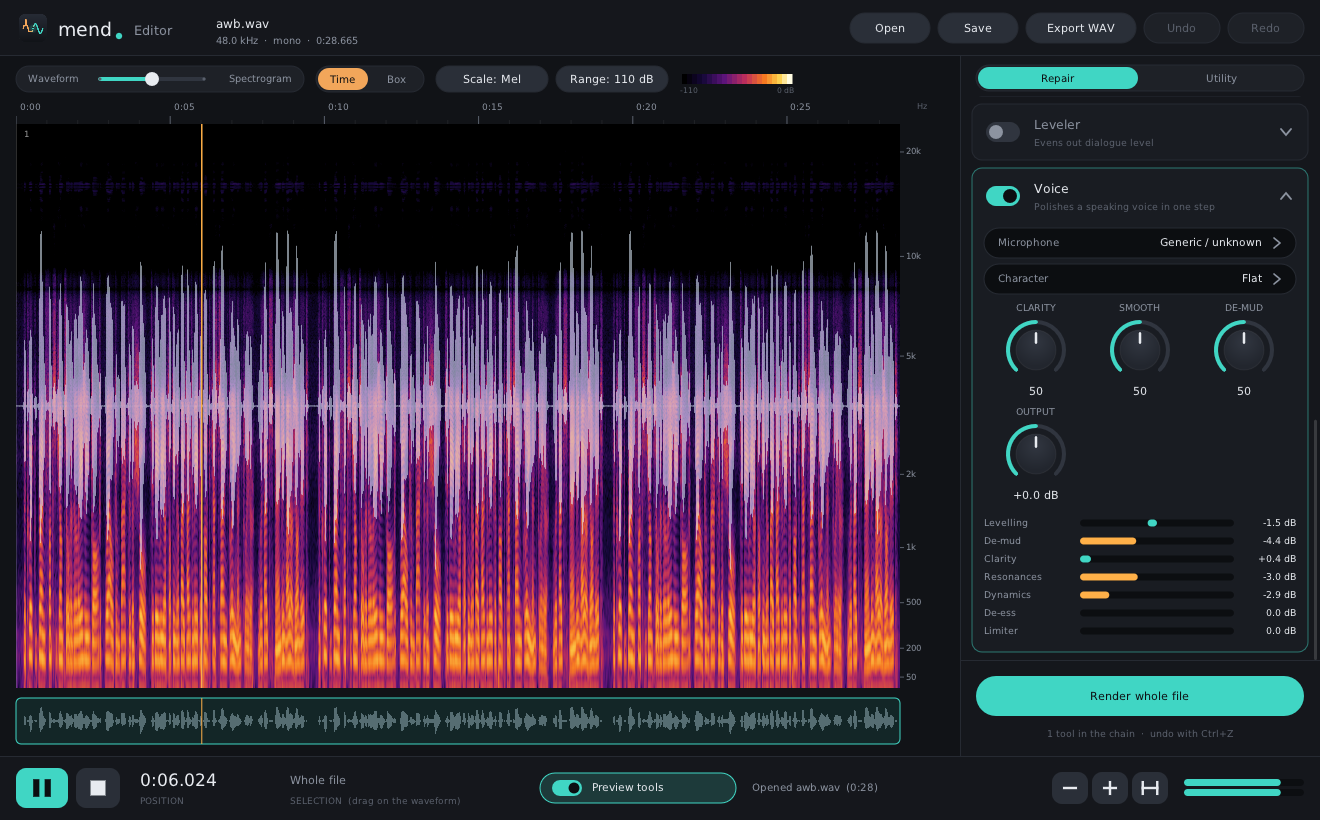
- Waveform to spectrogram on one slider, so you see problems as well as hear them.
- Spectral selection: drag a box around a cough, a siren or a squeak and repair just that.
- A repair chain: switch on any mix of tools, preview them live, then render.
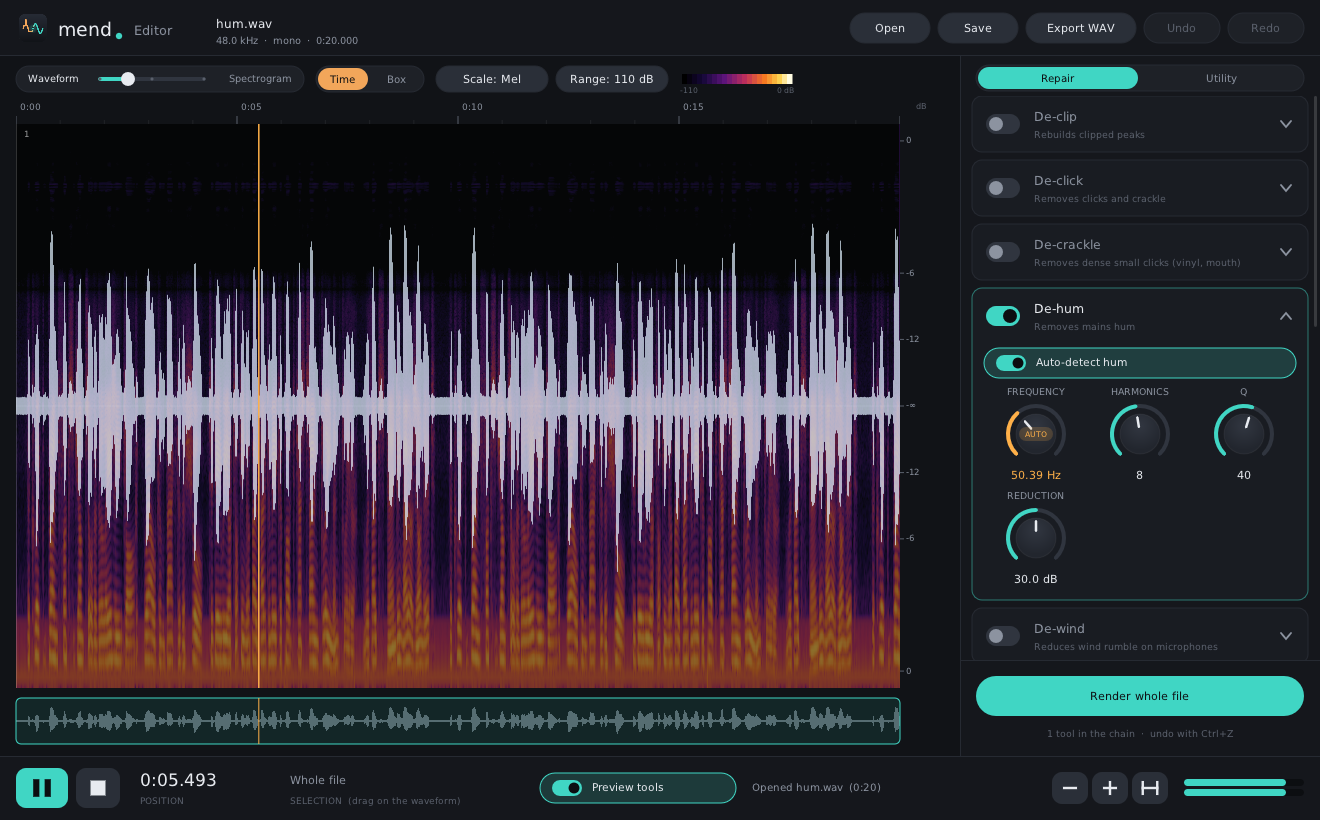
- Controls that move: while you preview, De-hum's frequency follows the hum and every tool shows what it's doing.
- Projects: save the audio and every setting, and pick up where you left off.
- Utility modules: loudness to a target (BS.1770), EQ match, phase, azimuth, resample, trim silence and more.
- Opens almost anything: WAV, AIFF, FLAC, MP3, Ogg, Opus, AAC and ALAC, with full undo.
Voice: polish speech in one step
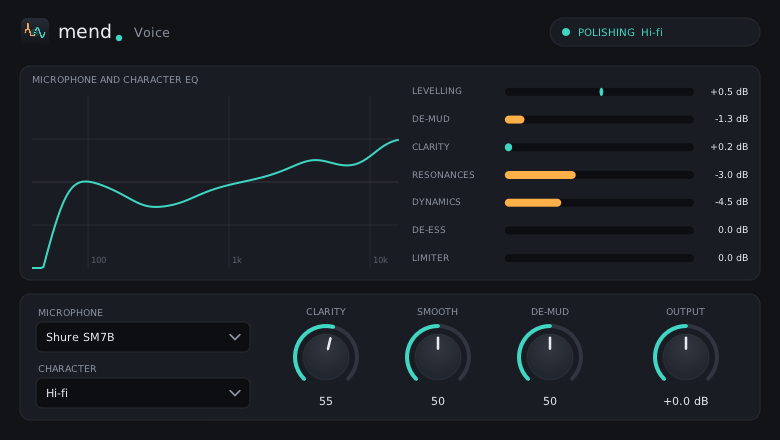
For podcasts, voice-over and video. Pick your microphone and three controls do the rest:
- Clarity brings consonants forward.
- Smooth evens out levels, closes the gaps between phrases and tames resonances.
- De-mud cuts boxy low-mid build-up, only when it's there.
28 microphone profiles, from studio dynamics to USB mics, earbuds and phones. Where the manufacturer publishes a frequency-response chart, the profile is built from it.
Download
The newest release, for your system.
Windows
Windows 10 and 11, 64-bit. Choose to install the whole thing, or the editor, the standalone apps, and VST3, CLAP and LV2 separately.
Installer (.exe) or a .zip to copy by handmacOS
macOS 10.15 or later, on Apple silicon and Intel. The installer adds Audio Unit to the same choices; click Customise to pick.
Installer (.pkg) or a .zip to copy by handLinux
64-bit x86. Unpack and run install.sh to put everything in your home folder.
| Editor | Standalone apps | VST3 | CLAP | LV2 | Audio Unit | |
|---|---|---|---|---|---|---|
| Windows | ✓ | ✓ | ✓ | ✓ | ✓ | – |
| macOS | ✓ | ✓ | ✓ | ✓ | ✓ | ✓ |
| Linux | ✓ | ✓ | ✓ | ✓ | ✓ | – |
The builds aren't code-signed yet. On Windows, if SmartScreen warns, choose More info, then Run anyway. On a Mac, right-click the installer and choose Open the first time. All releases and changes.
Open source, for good
Mend is MIT licensed: use it for anything, commercial work included, and change it as you like. The code, the artwork and the documentation are all on GitHub, written from published research, with nothing copied from commercial products.
Questions
Is it really free?
Yes. No trial, no account, no adverts and nothing phones home. The MIT licence means it stays that way.
Which hosts does it work in?
Any host that loads VST3, CLAP, LV2 or Audio Unit plugins. It's tested in Cakewalk Sonar and Audacity 4 on Windows and Linux, at display scaling from 100% to 225%.
Does it use AI?
No. Every tool is signal processing you can read: spectral subtraction, autoregressive interpolation, dynamics and so on. That keeps it fast, predictable and runnable on any computer.
Can I use the standalone apps live?
Yes. Each tool's app processes your audio input in real time. Input starts switched off so a microphone can't feed back through your speakers: click the banner at the top to turn it on.
Something doesn't work. Where do I say?
Open an issue on GitHub, with what you did and what happened. A screenshot or a short audio clip helps a lot.